



How to Clean a Samsung Washer: Self Clean, the Flashing Light, Seal and Filter
Empty the drum, turn the dial to Self Clean and press Start/Pause (press and hold it on front loaders). Samsung Canada says about once a month. A flashing Self Clean light is a reminder, not a fault: it comes on after 40 cycles on front loaders and 20 on top loaders, per the manuals we checked. Add nothing, except liquid chlorine bleach if there's residue. Wipe the door seal weekly and clean the drawer and pump filter monthly. If odours persist, use a BLITZ tablet in a separate hot cycle, never in Self Clean.

Shop BLITZ Washing Machine Cleaner, $24.95
In this guide
How to run Self Clean on a Samsung washer
Self Clean is Samsung's drum cleaning cycle. Some models call it Self Clean+ or Pure Cycle (Samsung's UK pages say Eco Drum Clean). A washer without one should use the cycle its manual names, a Normal cycle on some models, according to Samsung Canada.
- Empty the drum. Samsung warns that laundry left in during Self Clean may be damaged.
- Top loaders: drain leftover water. If water sits in the tub, run Spin Only first (on the WA45T3200, hold the Water Level button for 3 seconds).
- Turn it on and select Self Clean on the dial. On a FlexWash, tap Upper or Lower first.
- Start it. Front loaders: press and hold Start/Pause (the button says "Hold to Start"). WA45T3200 top loader: press Start/Pause. The water is set to Hot and can't be changed.
- Wait. About 1 hour on top loaders and up to 4 hours on front loaders, says Samsung Canada.
- Let it dry. Leave the door or lid open, and the detergent drawer too.

Front loaders sold as "Self Clean+", such as the WF45T6000 and the Bespoke WF53BB8700, follow the same steps. Own an LG instead? Its cycle is Tub Clean: see how to clean an LG washer.
Why the Self Clean (drum clean) light is flashing, and how to turn it off
It's a load counter, not a fault. In the manuals we checked:
- Front loaders (WF45T6000, and the lower washer of a FlexWash): after 40 washing cycles, the Self Clean reminder icon and cycle light blink for an hour, then turn off.
- Top loaders (WA45T3200, and the upper washer of a FlexWash): the same, after 20 cycles.
The reminder comes back for 5 more cycles in a row, then not again until another 40 (or 20) cycles. The manuals give no way to switch it off sooner: run Self Clean. Few loads? The monthly minimum still applies.
Our math: at 5 loads a week, a top loader's reminder comes about monthly, and a front loader's about every two months. Other households: see how often to clean a washing machine.
Bleach, tablets or vinegar: what Samsung allows in Self Clean
Samsung's manuals are explicit: "Do not use or mix any other detergent or chemicals during the SELF CLEAN cycle." The one exception is liquid chlorine bleach, and only "in the case where residue is present." Samsung Canada adds: "No additional cleaner is usually required."

Where the bleach goes depends on the model:
| Model (manual) | Bleach, only if residue | Where it goes |
|---|---|---|
| Front loader WF45T6000 | Up to the MAX line | Main-wash compartment, not the bleach compartment |
| Top loader WA45T3200 | 1 cup (240 mL) | Bleach compartment |
| FlexWash WV60A9900, upper washer | 1/3 cup (80 mL) | Directly in the empty tub |
| FlexWash WV60A9900, lower washer | Up to the MAX line | Main-wash compartment |
Start Self Clean right after adding the bleach, and run Rinse+Spin afterwards if residue remains. Samsung warns that chlorine bleach left in the drum for a long time can cause rust.
Careful: Never add vinegar, ammonia or another cleaner to a cycle with bleach: Health Canada warns the mix releases toxic gases. Bleach is optional: most months, Self Clean with nothing added is what Samsung describes.
Using a BLITZ tablet on a Samsung washer
Not in Self Clean. Samsung says to add nothing else, so we don't recommend it there either. But Samsung Canada also says that "if odors persist, a washing machine cleaner designed for washers may help." That's where a tablet fits, in a cycle of its own:
- Tablet in the empty drum, not the drawer. Samsung's front-load manual says the same for tablet and capsule products.
- Choose the hottest regular cycle. Our suggestion: Heavy Duty or Whites at Hot on the WF45T6000; Heavy Duty or Deep Wash at Hot with the highest water level on the WA45T3200, so the water reaches the rim.
- Let it finish, then leave the door or lid open to dry.
Keep bleach and BLITZ in separate cycles: after a Self Clean with bleach, run Rinse+Spin before the tablet cycle (our suggestion).
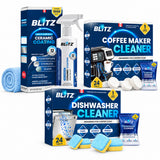
Our suggestion for a Samsung: keep Self Clean as the monthly routine, and run a BLITZ tablet every two weeks in its own hot cycle. Self Clean takes bleach only; the tablet adds a cleaner for detergent residue and mineral deposits. One unscented tablet: 24 for $24.95, about $1.04 a clean and a year in one box (price checked October 20, 2026), rated 4.9 out of 5 (14 reviews) on goblitzclean.com.
Wipe the door seal every week (front loaders)
The weekly wipe comes from Samsung Canada's cleaning page: "Weekly: Wipe the door, gasket, and detergent area." Self Clean doesn't reach the folds.
- Pull back the gasket carefully.
- Wipe inside the folds with a soft cloth, using warm water and mild soap if there's buildup.
- Dry it completely before you close the door.
Black spots that won't wipe off are stains in the rubber. BLITZ Mold Stain Remover is a gel that lifts them from the surface: apply it on dry rubber, leave it 3 to 5 hours, wipe it off, and never use it with another cleaner. Samsung's stronger bleach-solution wipe and the full method are in how to clean a front-load washer gasket.

Pump filter, detergent drawer and hose screens
Pump filter (front loaders): behind the small panel at the bottom front. Samsung Canada says to clean it at least once a month or about every 40 washes; the WF45T6000 manual says 5 or 6 times a year. A 5C code means it's clogged.
- Let hot water cool (Self Clean is a hot cycle), then turn the washer off and unplug it.
- Drain it: over a towel and shallow pan, uncap the small drain hose and let it empty.
- Twist the filter counterclockwise, brush off lint and debris, and check that the impeller behind it is clear.
- Twist it back clockwise until secure, recap and clip the hose. A loose filter can leak.
Detergent drawer, about monthly: pull it out until it stops, then hold down the release lever inside (front loaders) or tilt it up (top loaders). Rinse it and its inserts in warm water with a soft brush, and brush the recess without spraying water into it: the WF45T6000 manual warns of electric shock or fire. Then run Rinse+Spin with the drum empty.
Inlet hose screens: once or twice a year per the WF45T6000 manual, more often on well water or an older water system. A 4C code means one is clogged. Turn off the taps first. For musty or sewer smells, see front-load washer smell.
Top loaders and FlexWash: what's different
- Top loaders count 20 cycles, not 40, and need Spin Only first if water is left in the tub. The WA45T3200 manual lists no pump filter to clean, only the inlet hose screens.
- FlexWash is two washers with two cycles. The small upper washer runs Self Clean every 20 cycles on Warm (fixed), with 1/3 cup of bleach in the empty tub only if there's residue; its lint filter needs cleaning every 10 washes. The lower front loader runs Self Clean+ every 40 cycles on Hot.

Rim and basket steps: how to clean a top-load washer.
How often to clean a Samsung washer

Samsung's minimum is Self Clean once a month or at the reminder, whichever comes first. Its schedule lists the drawer and filter at every 1 to 3 months, while its how-to steps say monthly: monthly is the safe end.
Still smells, black stains or an error code?
Samsung Canada's usual causes: a door left closed, too much detergent or softener, cold-only washes, or buildup in the gasket or drawer. Its reset:

| What you see | Likely cause | What to do |
|---|---|---|
| 5C code, or water left after the spin | Clogged drain filter | Clean the pump filter (above) |
| 4C code | Clogged inlet mesh filter | Clean the hose screens |
| Door won't open after a cycle, Self Clean indicator on | The Self Clean reminder is on | WF45T6000 manual: remove everything and run Self Clean |
| Musty smell right after Self Clean | Seal folds, drawer or filter | Clean those three, then a BLITZ tablet in a separate hot cycle |
| Black spots on the seal | Stains in the rubber | Mold Stain Remover gel, 3 to 5 hours |
Frequently asked questions
How long does Samsung Self Clean take?
About 1 hour on a top loader and up to 4 hours on a front loader, according to Samsung Canada.
Can I put bleach in Samsung Self Clean?
Yes, but only liquid chlorine bleach, and only if there's residue. It goes in the main-wash compartment on the WF45T6000 front loader, and 1 cup in the bleach compartment on the WA45T3200 top loader (see the table above). Run Rinse+Spin after if residue remains.
Can I use a washer cleaner tablet in Self Clean?
No. Samsung's manuals say not to use or mix any other detergent or chemicals in Self Clean, and that includes cleaner tablets. Use the tablet in a separate hot cycle; Samsung Canada says a washer cleaner may help if odours persist.
Can I clean a Samsung washer with vinegar?
Not in Self Clean, and never in the same cycle as bleach. Samsung Canada's hard-water method takes 4 cups of white vinegar, the longest and hottest cycle, then a second hot cycle to rinse it out. A BLITZ tablet clears mineral deposits and detergent residue in one hot cycle, with no vinegar smell.
How do I turn off the flashing Self Clean light?
Run Self Clean. Otherwise the light blinks for an hour, shows for 5 more cycles, then stays off until the next 40 cycles (front loaders) or 20 (top loaders).
Sources: Samsung Canada support pages (washer cleaning, hard-water buildup) in English and French; Samsung owner's manuals for the WF45T6000 front loader, WA45T3200 top loader and WV60A9900 FlexWash; Samsung WF53BB8700 spec sheet; Samsung UK support page; Health Canada; BLITZ product pages. All checked October 20, 2026.
Samsung, FlexWash, Bespoke and LG are trademarks of their owners. BLITZ is not affiliated with them.
WHEN ODOURS OUTLAST SELF CLEAN
BLITZ Washing Machine Cleaner & Descaler
One unscented tablet in the empty drum, on its own hot cycle. Breaks down detergent residue, grime and mineral deposits in front-load, top-load and HE washers. 24 tablets for $24.95, about $1.04 a clean. Free shipping in Canada from $40, 2 to 3 business days, 10% back in store credit and a 30-day money-back guarantee. Septic-safe, from a Québec company based in Laval, with service in French and English.

Black stains on the door seal? Run the tablet cycle first and let the washer drain, then use BLITZ Mold Stain Remover (never both at once). Also have a dishwasher? The Essentials Kit pairs 24 washer and 24 dishwasher tablets for $43.95, $4.95 less than buying both.


